Connection & Polling
Open Settings → Connection to control how often INVLocal fetches data and how it communicates with your hardware.
Refresh intervals
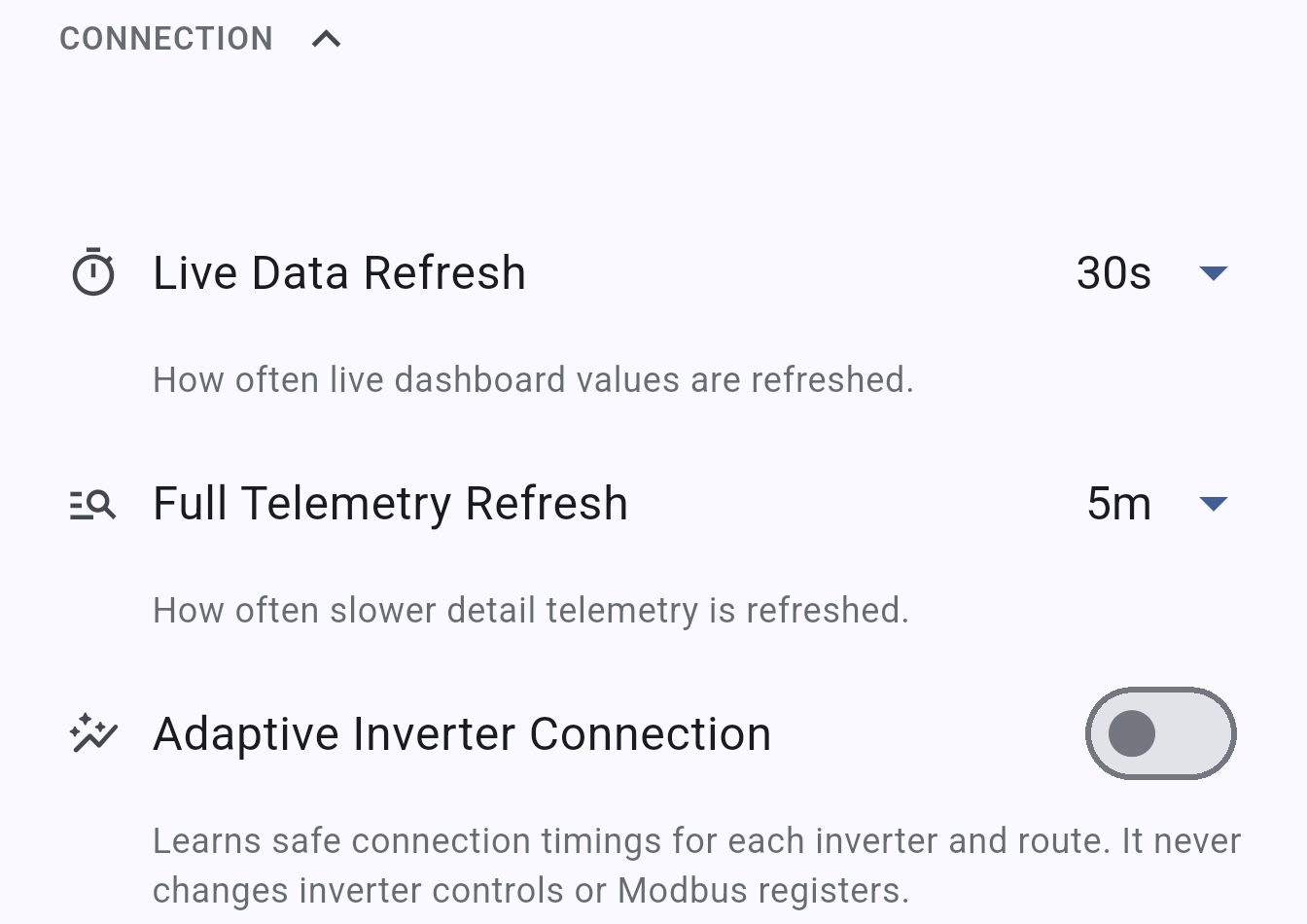
Section titled “Refresh intervals”| Setting | Description | Default |
|---|---|---|
| Live Data Refresh | How often the Dashboard updates (power flow, battery SOC, quick stats) | 10 seconds |
| Full Telemetry Refresh | How often the slower, more detailed register read runs | Longer interval |
Live data refresh can be set between 10 and 120 seconds in steps of 10. A shorter interval gives more responsive readings but generates more network traffic to the inverter.
Polling method
Section titled “Polling method”Controls how INVLocal reads data from the inverter:
| Method | Description |
|---|---|
| Default | Splits live data and detail reads into separate passes. Recommended for most setups. |
| Full Telemetry | Reads all data in a single pass. Useful for diagnostics but slower. |
| Battery Meter | Polling optimised for battery meter-style monitoring. |
If you are unsure which method to use, run the Connection Benchmark tool in Settings → Diagnostics - it tests each method against your hardware and recommends the best fit.
Adaptive Inverter Connection
Section titled “Adaptive Inverter Connection”When enabled, INVLocal learns safe connection timings for each inverter and connection route (local network, Tailscale, port forwarding) and adjusts its own request pacing accordingly. It never changes inverter controls or Modbus registers - it only affects how INVLocal talks to the device.
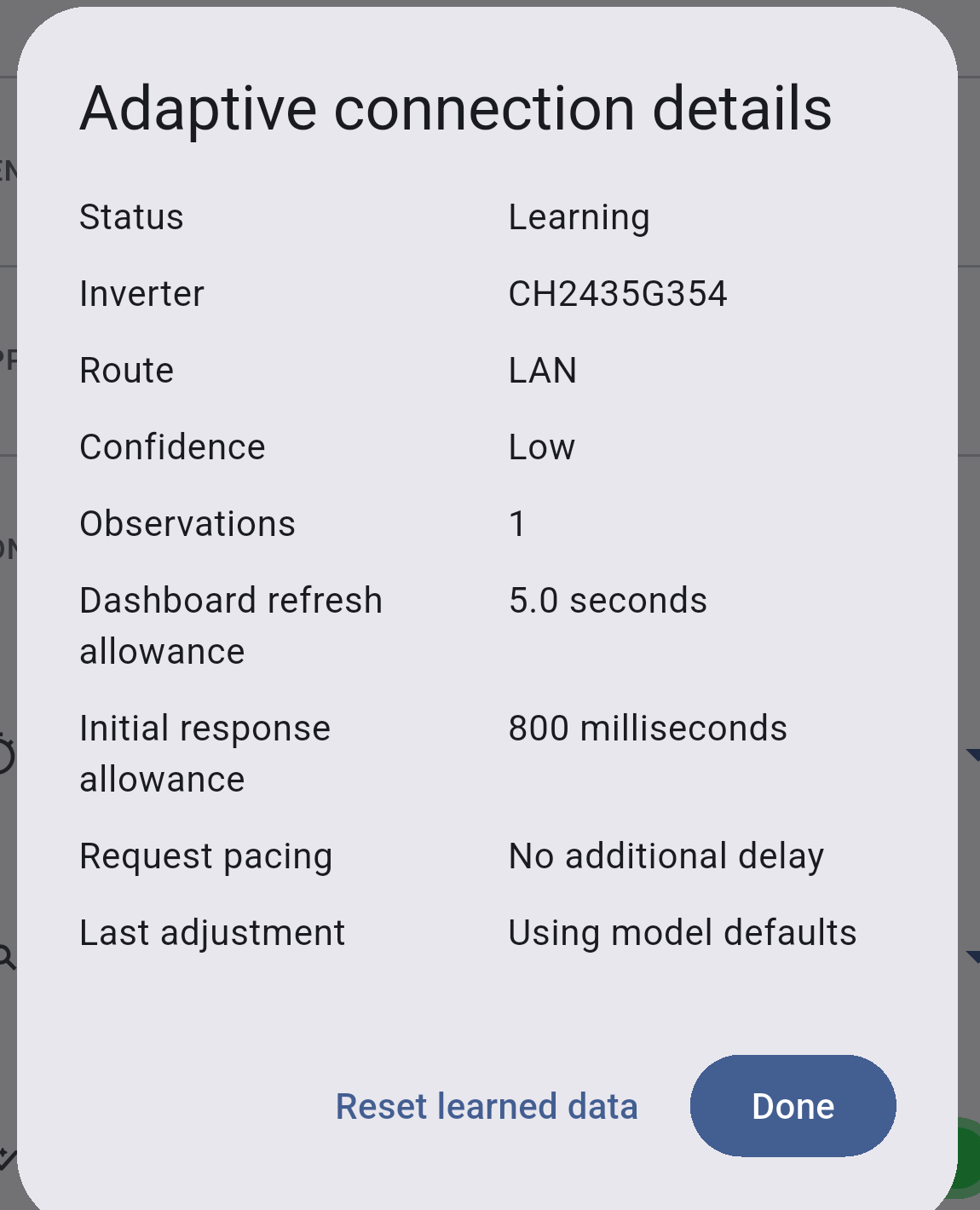
Tap Adaptive Status to open a details view showing the inverter and route being learned, the current status and confidence level, how many observations have been made, the dashboard refresh allowance, initial response allowance, request pacing, and when the timings were last adjusted. From here you can also reset the learned data back to defaults.
INVLocal is an independent product. It is not affiliated with, endorsed by, or supported by GivEnergy. GivEnergy is a trade mark of its owner and is used here only to describe hardware compatibility.