Appearance & Theme
Open Settings → Appearance to change how INVLocal looks.
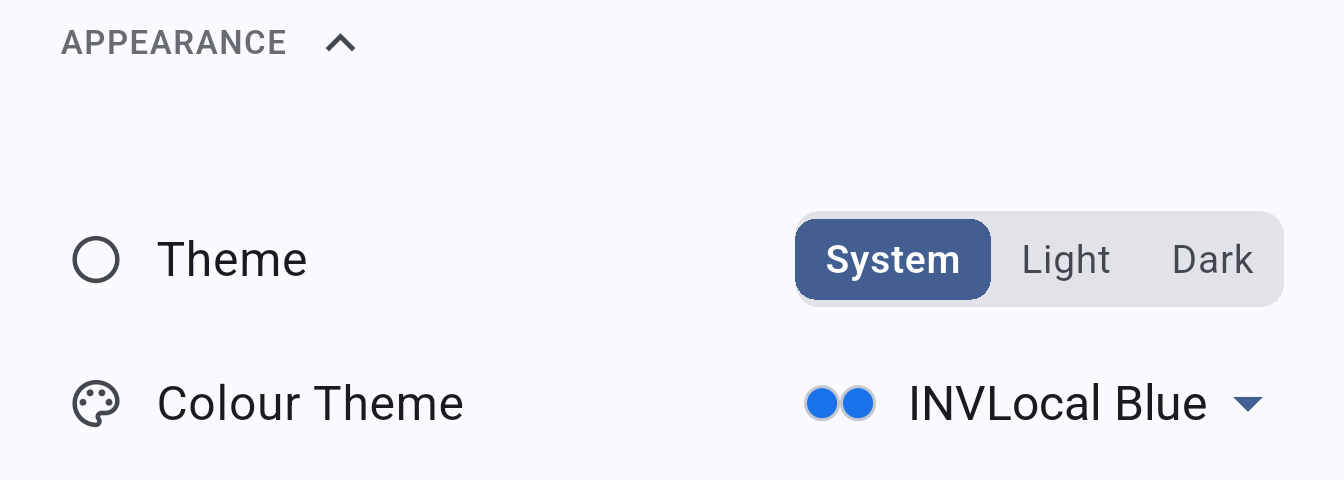
Choose between three modes:
| Mode | Description |
|---|---|
| System | Follows your device’s light/dark mode setting |
| Light | Always uses the light theme |
| Dark | Always uses the dark theme |
Colour theme
Section titled “Colour theme”INVLocal includes six colour palettes:
| Theme | Description |
|---|---|
| INVLocal Blue | The default blue accent theme |
| Solar Teal | Teal-green accent |
| Copper Teal | Warm copper with teal highlights |
| Moss Amber | Earthy green and amber |
| Liquid Glass | Moss Amber’s accent colours with a frosted, translucent card surface |
| High Contrast | Maximum contrast for improved readability |
The High Contrast theme is designed for use in bright outdoor environments where the standard themes may be harder to read.
INVLocal is an independent product. It is not affiliated with, endorsed by, or supported by GivEnergy. GivEnergy is a trade mark of its owner and is used here only to describe hardware compatibility.